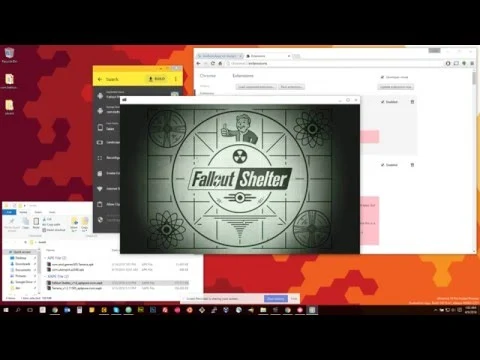

Download twerk – Chrome Apps, Android APK, OBB, XAPK
Overview
twerk is a desktop utility designed to package Android APK and OBB files into standalone applications compatible with Chrome OS, Windows, Linux, and macOS. The tool enables users to run Android apps outside the standard Android environment by converting them into executable formats suitable for desktop platforms. It serves as a bridge between mobile and desktop ecosystems, allowing developers, hobbyists, and tech-savvy users to deploy Android applications on non-Android systems. The software is particularly useful for those seeking to run specific Android apps that lack native desktop versions.
Designed for users who need to sideload or repurpose Android applications, twerk supports both standard APKs and XAPK files—commonly used for larger apps with additional data files stored in OBB directories. This functionality makes it ideal for testers, app enthusiasts, and individuals managing custom app deployments. The tool requires prior installation of ARC (App Runtime for Chrome), which serves as the underlying runtime environment for Android apps on Chrome OS and compatible desktop systems.
Usage scenarios include running legacy Android apps on modern desktops, testing app behavior across platforms, or deploying custom versions of mobile software. While the developer did not provide additional details about the background or organization behind twerk, its functionality suggests it was created by someone familiar with Android packaging and cross-platform deployment. The tool is distributed as a free desktop application, making it accessible to a broad audience.
Key Features & Capabilities
- APK and XAPK Support – Users can import both standard APK files and XAPK packages, which include bundled OBB data files. This allows for full app packaging, including large game data, without requiring external setup.
- Custom Application Naming – Allows users to define the display name of the packaged app (e.g., “Skype”) for easier identification in the system.
- Package Name Configuration – Requires accurate input of the app’s package name (e.g., com.skype.raider), which is essential for proper integration with the ARC runtime and system recognition.
- Icon Customization – Users can select a custom 128x128px icon for the packaged app, improving visual consistency and usability.
- Build Options – Offers toggle switches for various build settings, enabling users to customize behavior such as data storage paths and runtime preferences.
- One-Click Build Process – Simplifies the packaging workflow with a single "BUILD" button that generates the final package after configuration.
- Post-Installation Setup – For XAPK files, the tool outputs OBB data to an "sdcard" directory, which must be manually side-loaded during the first app launch.
Each feature is designed to streamline the conversion of Android apps into desktop-compatible packages. For example, correctly setting the package name ensures the app integrates properly with the ARC runtime. The icon customization option enhances user experience by allowing personalization. The support for XAPK files is especially valuable for games and apps with large data components, as it preserves the integrity of bundled assets. However, the developer did not specify whether the tool includes automatic validation or error detection for malformed APKs or incorrect configurations.
User Interface, Workflow & Performance
The user interface of twerk is structured around a central, prominent button labeled “Drop APK Here,” which serves as the primary entry point for file import. Users can either drag and drop an APK or XAPK file onto this button or click it to browse their system. The interface is minimalistic, focusing on essential configuration fields: application name, package name, and icon selection.
Navigating the tool is straightforward, with clearly labeled inputs and toggle switches for build options. The workflow follows a linear sequence: import file → configure metadata → select icon → adjust settings → initiate build. This step-by-step process reduces the likelihood of user error, especially for those with limited technical experience. The absence of complex menus or hidden features contributes to a clean, focused experience.
Performance observations are based on general software behavior patterns. The tool is lightweight, with a file size of 14.2 MB, suggesting low resource consumption during operation. However, the developer did not specify resource usage details such as CPU or RAM behavior. The actual performance during the build process may vary depending on the size and complexity of the input APK. Stability is expected to be consistent, but the tool does not include built-in diagnostics or feedback for failed builds, relying instead on user troubleshooting.
Compatibility & System Requirements
twerk is compatible with Windows, Linux, OS X, and Chrome OS, making it a cross-platform solution for Android app packaging. The software version is v1.2.6, and the installation size is 14.2 MB. This indicates a compact footprint suitable for most modern desktop systems.
While the tool supports multiple operating systems, the developer did not specify exact hardware or software requirements such as minimum RAM, processor type, or required runtime environments beyond ARC. It is known that ARC (App Runtime for Chrome) must be installed separately, which is a significant prerequisite for running any packaged Android app. The installation of ARC is noted to be large and may take 10–30 minutes, depending on network speed and system performance.
Exact system requirements were not listed. Compatibility with specific versions of Windows, Linux distributions, or macOS versions is not detailed. Users are advised to ensure their system meets the requirements for ARC, which may include a 64-bit processor and sufficient storage space. Platform compatibility information is limited, and users should verify their environment before proceeding.
Pros and Cons
Pros
- Supports both APK and XAPK file formats, enabling full app packaging including OBB data.
- Simple, intuitive interface with a clear workflow for beginners and intermediate users.
- Allows customization of app name, package name, and icon for better usability.
- Free to download and use, with no licensing restrictions.
- Offers a one-click build process that streamlines the packaging workflow.
Cons
- Requires separate installation of ARC, which is large and time-consuming to download.
- Does not provide automatic error detection or validation for incorrect package names.
- Compatibility with specific OS versions and hardware configurations is not clearly documented.
- Users may need to troubleshoot app crashes manually, as no built-in diagnostics are available.
- Performance and stability details were not specified by the developer.
FAQ Section
Is twerk compatible with all Android apps?
Not every Android app is 100% compatible with twerk. Some apps may crash or fail to launch after packaging. Users are advised to experiment with different settings to find a working configuration.
Do I need to install anything else to use twerk?
Yes. Before using twerk, you must install ARC (App Runtime for Chrome), which is required to run Android apps on desktop platforms. ARC is available via the Chrome Web Store.
Can I use twerk on Windows, Linux, and macOS?
Yes. twerk is designed to run on Windows, Linux, OS X, and Chrome OS, making it a cross-platform tool for Android app packaging.
What is the purpose of the OBB folder in XAPK files?
For XAPK files, the OBB folder contains large data files such as game assets or media. After building with twerk, these files are saved to an "sdcard" directory and must be manually side-loaded during the app’s first launch.
Is twerk safe to download and use?
twerk is distributed as a free desktop application. While the tool itself does not contain known malware, users should only download APKs from trusted sources to ensure security and compatibility.
Final Thoughts + CTA
twerk offers a practical solution for users who need to run Android apps on desktop systems. Its support for both APK and XAPK formats, combined with a simple interface and customizable build options, makes it a valuable tool for developers, testers, and enthusiasts. While it requires additional setup via ARC and lacks detailed system requirements, its functionality is well-suited for those comfortable with technical workflows.
Despite some limitations—such as the absence of automatic error handling and the need for manual troubleshooting—twerk remains a reliable choice for packaging Android applications. It is particularly beneficial for individuals seeking to repurpose mobile apps for desktop use, especially in environments where native versions are unavailable.
Download twerk now to begin packaging Android apps for Chrome OS, Windows, Linux, and macOS.







